
table of contents
Best AI Product Recognition SDK for POS Vendors
If you’re a POS vendor or ISV, the “best” AI product recognition SDK is the one that fits checkout reality: low latency at peak hours, works when store networks are unreliable, maps cleanly into your PLU/SKU/pricing rules, and has an operational loop to keep accuracy improving after rollout.
This guide gives you a vendor-grade evaluation framework, a reference integration architecture, and a topic map to go deeper where your engineering team will have questions.
What is an AI Product Recognition SDK ?
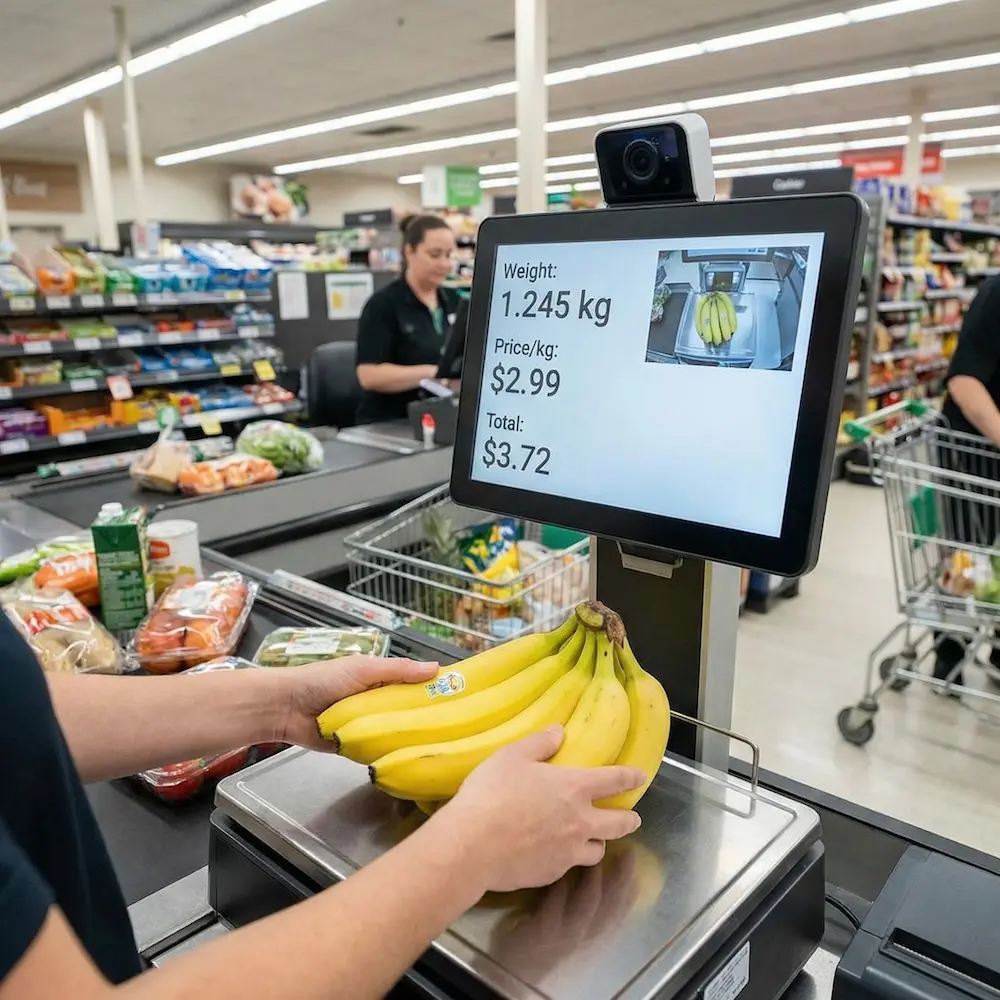
An AI product recognition SDK lets your POS (or connected devices like retail scales/cameras) identify items from images and return a structured result your system can use—typically a product ID, confidence, and optional top-N candidates for staff confirmation.
In POS, recognition is not the end. You still need:
- Master data mapping (recognition output → PLU/SKU/barcode/price rules)
- Triggering logic (when to run recognition to avoid wasted compute)
- Confirmation + feedback to improve real-store performance
links:computer vision technology
The 10-point checklist POS vendors should use
Use this checklist to avoid picking an SDK that demos well but fails in production.
| Criterion | What “good” looks like | Why it matters |
|---|---|---|
| Latency | Consistent low latency under load | Checkout flow cannot stall |
| Offline / edge mode | Runs locally; cloud optional | Stores have unstable networks |
| Triggering | Weight-stable / event-driven inference | Avoid continuous camera loops |
| Top-N candidates | Returns top 3–5 with confidence | Enables fast staff confirmation |
| Master data mapping | Clear mapping to PLU/SKU/barcodes | POS must price and tax correctly |
| Platform support | Windows/Android/Linux patterns | POS hardware is mixed |
| Privacy & storage | Local storage controls + retention | Compliance + trust |
| Learning loop | Confirmation/correction feedback | Accuracy improves over time |
| Multi-device sync | LAN + cloud sync options | Chains need consistency |
| Tooling | Logs, diagnostics, calibration UI | Reduces deployment risk |
links:modern POS systems
Reference architecture
A common production pattern is:
- POS app detects a recognition-worthy event
- POS calls a local recognition component (SDK or local service)
- Recognition component captures camera frame (within calibrated ROI)
- On-device model returns top-N candidates
- POS UI shows candidates for confirmation (fast)
- POS maps result to PLU/SKU/pricing rules and completes the transaction
- POS sends confirmation/correction feedback tied to a session ID
- System syncs incremental learning data across devices/stores
This pattern works especially well with edge inference and event-driven triggering, because it prevents recognition from running continuously.
Offline vs Cloud recognition
| Approach | Pros | Cons | Best for |
|---|---|---|---|
| Offline / edge | Low latency, resilient, privacy-friendly | Requires compatible hardware; local ops | Checkout, scales, peak traffic |
| Cloud | Centralized updates, easier fleet analytics | Network dependency, latency risk, privacy concerns | Non-critical flows, enrichment |
| Hybrid | Edge for checkout + cloud for sync/updates | More system complexity | Most POS vendors |
Integration reality: triggering is everything
The biggest integration mistake is “recognize on every frame”.
Instead, use event-driven recognition:
- Start a “session” when weight changes from 0 to a valid value
- Wait for weight to stabilize (threshold + time window)
- Run recognition once per session (or controlled retries)
- Bind recognition result + feedback to the same session ID
This reduces compute usage and avoids false triggers caused by hands, bags, and background movement.
Master data mapping: recognition must become a billable item
Your POS cannot charge “banana (maybe)”. You need deterministic mapping:
- Recognition output → PLU or internal product code
- PLU → pricing rule, tax rule, label template, inventory logic
- Support aliases (regional naming), seasonal products, and “not for sale” items
This is where many SDK demos stop—but POS vendors live here.
How accuracy improves after rollout
Real stores change:
- produce appearance changes by season and supplier
- lighting varies
- packaging changes
- backgrounds and bags introduce reflections
A strong SDK supports:
- staff confirmation (correct)
- staff correction (wrong)
- feedback samples stored locally
- incremental learning behavior (or at least smarter candidate ranking)
- multi-device sync so one device’s learning benefits others
Recommended next steps
- If you’re evaluating vendors, start with the checklist and request:
- offline/edge benchmark on your hardware
- reference integration project for your platform
- a PLU mapping template and a rollout playbook
FAQ
Does product recognition need to be offline for POS?
For checkout-critical flows, offline/edge inference is strongly preferred to minimize latency and avoid network dependency.
How do we prevent repeated recognition calls while the item is being placed?
Use event-driven triggering (e.g., weight-stable threshold) and session IDs so recognition runs once per transaction session.
How do we connect recognition results to pricing?
Implement a master data mapping layer that maps recognition IDs to PLU/SKU/barcode and then to pricing/tax/inventory rules.
Can accuracy improve without full retraining?
Yes—staff confirmation/correction feedback plus better candidate ranking and incremental updates can significantly improve production accuracy.