
table of contents
AI Bakery Checkout: How Visual Recognition Handles Bread and Pastries
AI bakery checkout uses a camera and a trained recognition system to identify bread and pastries, then passes the results into a POS workflow. For POS vendors and bakery equipment manufacturers, its value depends on more than identifying a croissant: the system must count items, distinguish sellable variants, handle uncertainty, and keep the final bill consistent with the bakery’s product catalog.
The practical starting point is an existing checkout process. Decide which manual product selections vision should replace, which items still require barcodes, and when a cashier or shopper must confirm the result.
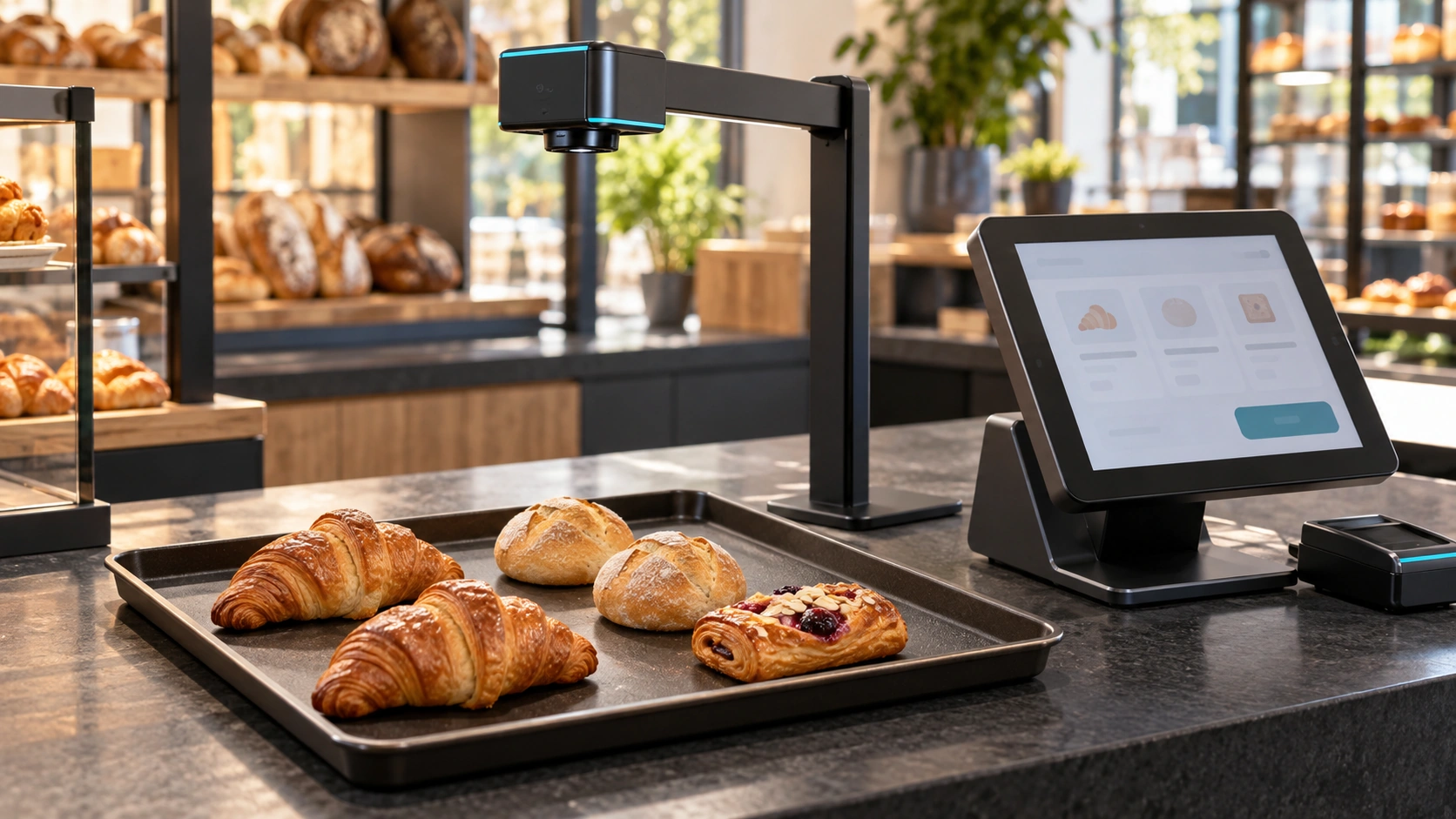
AI-generated conceptual illustration, not an actual customer installation.
What the recognition layer should do
A bakery visual checkout workflow can be divided into five stages:
- Capture a stable image of the supported checkout area.
- Locate individual products on the tray.
- Match visible products to the configured bakery catalog.
- Propose item identities and quantities for review.
- Send accepted items to the POS for pricing and payment.
The POS should remain responsible for prices, promotions, tax treatment, and transaction completion. Recognizing a pastry does not authorize a payment or determine which discount applies.
For the broader food-service context, see our smart cafeteria and food recognition overview.
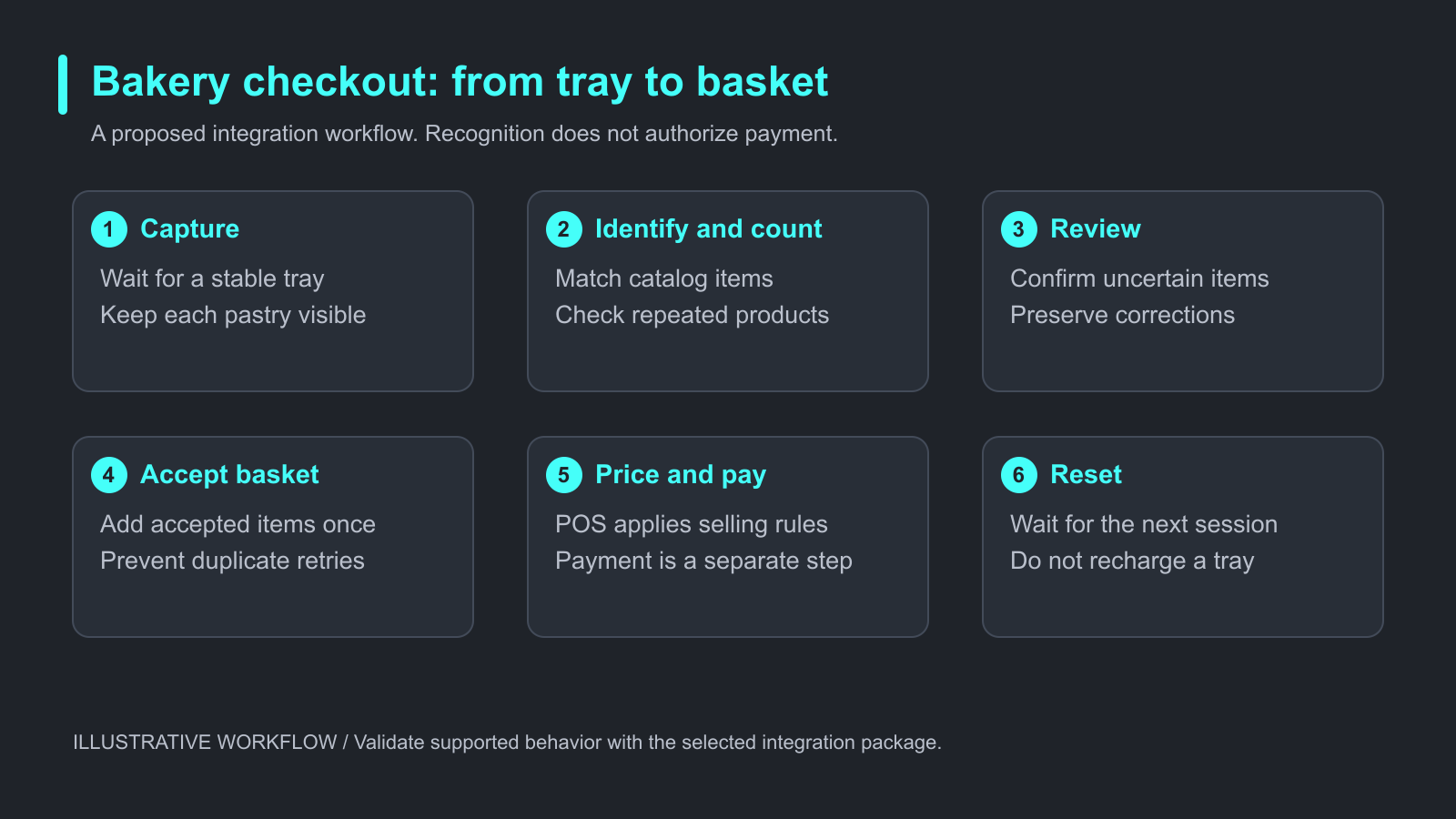
Illustrative checkout workflow. Recognition proposes products; the POS handles pricing and payment.
Which bakery products need special handling?
Bread changes appearance between batches. A product may be darker after baking, rotated on the tray, partly covered by a bag, or smaller than the reference sample. Two different fillings may also share nearly the same exterior.
| Situation | What the POS team should define |
|---|---|
| Two identical pastries | Whether both instances are detected and counted separately |
| Similar products with different prices | A confirmation step when appearance is insufficient |
| Stacked or overlapping items | A request to separate products or an attended fallback |
| Wrapped products | Supported packaging and when barcode input is preferable |
| Seasonal products | Catalog activation, local learning, and validation before sale |
| Packaged drink beside loose bread | How barcode and vision inputs share one basket |
Do not use visual recognition to infer a hidden filling, allergen, or ingredient that the camera cannot observe reliably. These attributes should come from approved product records, with staff confirmation where needed.
Keep recognition and basket updates separate
A tray may remain under the camera while the shopper reaches for a wallet. If every recognition result immediately adds items, the same bread can enter the basket more than once.
Design a clear session boundary. A proposed flow is: tray detected, image accepted, result reviewed, basket updated, payment completed, tray removed, session reset. This is an implementation pattern to validate with the chosen integration package, not a guarantee that every SDK provides these events directly.
Record which recognition result has already been accepted. If the customer adds a product after confirmation, decide whether to replace the pending result or request another review. Avoid silently appending the entire tray again.
Manual corrections must also survive retries. If a cashier changes one roll to another product, a later camera result should not overwrite that decision without a visible reason.
Add new products without confusing the catalog
Treat product data and recognition learning as related but separate tasks. First create or synchronize the sellable item in the POS catalog. Then associate appropriate images with that item and verify the association on fresh captures.
iCanteen’s product materials describe local item learning, including a workflow that selects a detected food region and links it to a product. A quick enrollment step can simplify setup, but it does not prove that one image covers every batch, angle, or package.
Use additional validation samples when products look alike. When a product is renamed, repriced, or temporarily withdrawn, check that the recognition result still maps to an active item. Price changes should follow the POS product record rather than become a reason to retrain appearance unnecessarily.
A practical bakery pilot exercise
The following is a proposed test procedure, not a reported customer result.
Choose a small catalog that includes ordinary items and difficult pairs. Capture trays from separate baking batches, then test single items, repeated items, mixed trays, rotation, and the packaging used in the shop. Keep evaluation images separate from the images used for enrollment.
For each tray, have a reviewer record the correct items and quantities before checking the software result. Retain permitted screenshots of the image, proposed basket, and corrected basket so a mismatch can be traced.
Measure:
- Item identity and quantity correctness.
- Whole-basket correctness before manual changes.
- Frequency and duration of corrections.
- Time from tray placement to an accepted basket.
- Time from tray placement to completed checkout.
- Duplicate additions, missing products, and service failures.
Test under peak-hour lighting and realistic product handling. An empty-counter demonstration cannot show whether bags, hands, or repeated tray movement create extra work.
Where iCanteen fits
Winmore Digital provides iCanteen food recognition for cafeteria and bakery checkout. It is software that partners can integrate into their own checkout products; hardware selection and payment integration remain part of the project scope.
The internal reference materials describe Windows and Android delivery options and local recognition and learning. Confirm the supported interface, camera, hardware configuration, activation requirements, and update behavior for the version being evaluated. Local recognition does not automatically make card payments or remote reporting available offline.
Frequently asked questions
Can AI bakery checkout work with an existing POS?
It can be designed to send accepted product identifiers and quantities into an existing basket workflow. Compatibility depends on the POS interface, operating system, hardware, and supported integration package.
Can it recognize several pastries at once?
Multi-item food recognition is part of iCanteen’s described scope. Validate the item count, spacing, overlap, and tray size supported in your actual setup.
Does the camera determine prices?
The recognition layer identifies products. The POS should resolve their prices and apply the relevant transaction rules.
What happens when two pastries look the same?
Use a confirmation step, staff selection, or another identifier. Do not assume a camera can identify a filling or recipe difference with no visible evidence.
Is payment included in food recognition?
Food recognition and payment are separate capabilities. Payment terminals, tender types, and payment-network availability must be assessed independently.
What should a bakery bring to a pilot?
Bring the product catalog, representative fresh products, packaging, POS workflow, hardware details, and agreed acceptance criteria.
Plan your bakery recognition integration
Start with a bounded catalog and a reviewable basket flow. Prove that difficult products can be corrected quickly and that retries cannot duplicate charges. Then expand the catalog using the same validation process.
Read the iCanteen SDK overview for POS vendors for the integration context. To discuss your bakery project, request the relevant SDK overview and share your product categories, POS platform, camera arrangement, and checkout flow.