
table of contents
iDetector SDK Integration Guide for POS and Self-Checkout ISVs
Self-checkout systems are excellent at recording digital transaction events. They know when a barcode was scanned, when an item was added to the basket, and when payment started. What they cannot always verify is whether the physical item movement at the checkout lane matched the digital record.
That gap is where self-checkout loss happens: an item passes through the scan area without a valid scan, a cheaper barcode is used for a different product, or a fresh produce PLU does not match the item being handled.
iDetector is designed as an AI loss prevention module for that exact moment. It combines local computer vision, barcode or PLU data, and checkout workflow signals so ISVs can add missed-scan detection, wrong-scan detection, real-time prompts, and event records to existing POS or self-checkout products.
This guide explains how an ISV should think about iDetector integration: deployment modes, platform choices, workflow touchpoints, event handling, POC planning, and rollout considerations.
Quick Answer
iDetector can be deployed in two practical ways:
| Mode | Best for | What the ISV changes |
|---|---|---|
| Plugin mode | Fast pilots, limited POS changes, quick loss-prevention validation | Minimal or no checkout software integration |
| Integrated mode | Productized POS integration, custom UI, deeper workflow control | Start/pause detection, pass barcode/PLU/cart data, listen for events, handle prompts |
For production ISV deployments, integrated mode usually creates the better user experience because the POS can decide how to show prompts, pause checkout, handle rescans, and record staff decisions.
Who This Guide Is For
This guide is written for:
- POS software vendors adding AI loss prevention to self-checkout.
- Self-checkout kiosk OEMs that need a differentiating AI module.
- Retail ISVs building checkout, store operations, or shrink-reduction solutions.
- System integrators delivering self-checkout pilots for grocery, convenience, and supermarket customers.
It is not a full private API manual. Complete interface paths, SDK packages, activation details, and project-specific troubleshooting materials should be shared during the formal integration stage.
What iDetector Adds to a Self-Checkout System
iDetector helps close the behavior-transaction gap by checking three things together:
| Signal | What it tells the system | Why it matters |
|---|---|---|
| Item movement | A product entered or left the scan area | Helps detect missed scans and fake scans |
| Barcode / PLU / cart data | What the POS thinks was scanned or selected | Connects visual behavior to the transaction record |
| Product visual features | Whether the handled item appears consistent with the recorded product | Helps detect wrong scans and barcode switching |
The output can be used for customer prompts, attendant alerts, event records, and management reporting.
High-Level Architecture
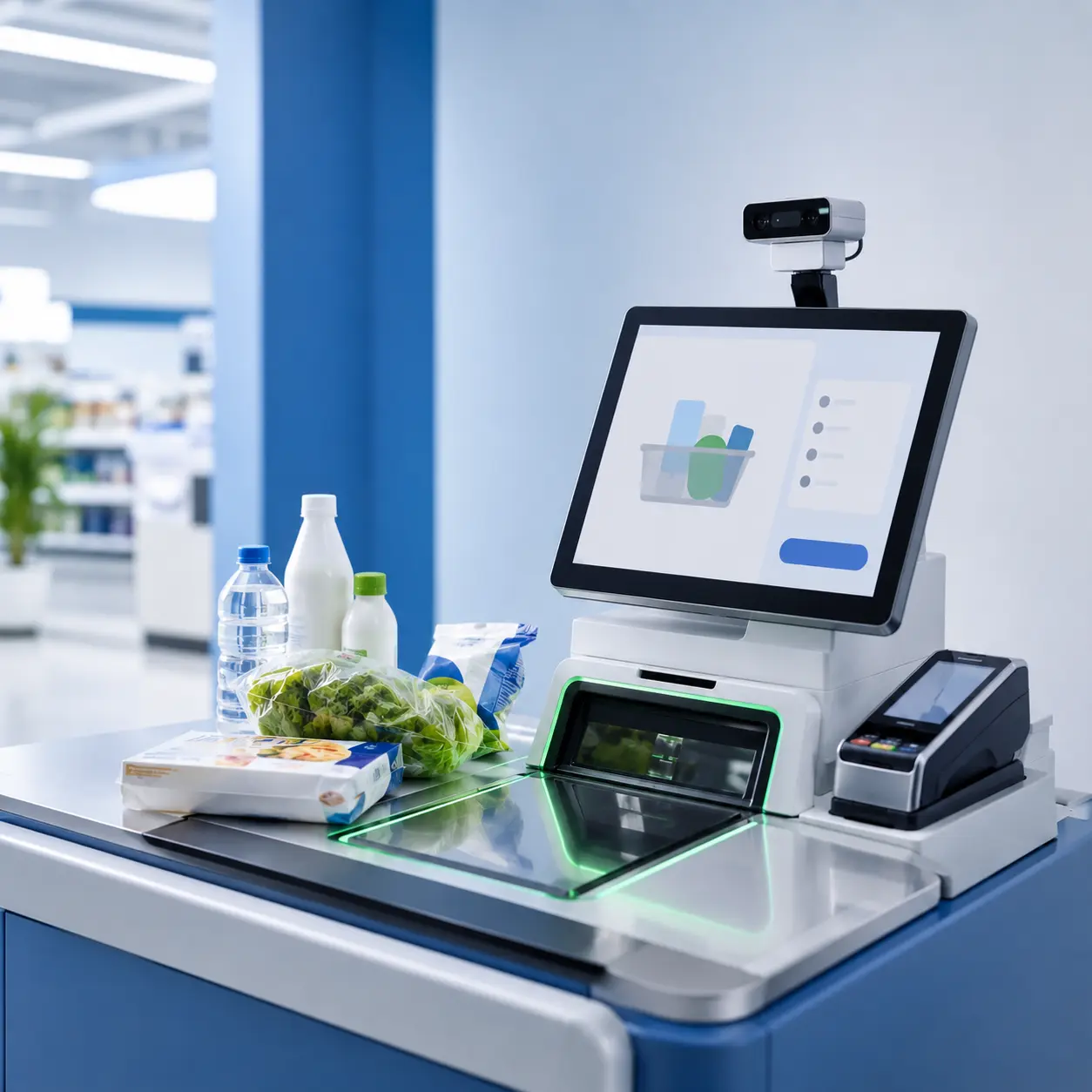
A typical iDetector deployment includes:
- A USB depth camera positioned around the self-checkout scan area.
- A local AI loss prevention service or SDK running on the checkout device.
- The POS or self-checkout application.
- Optional backend or mini-program reporting for event review, device status, and operational analysis.
The important design principle is that iDetector should support the checkout workflow instead of replacing it. The ISV keeps ownership of the POS logic, basket flow, customer UI, staff escalation, and transaction rules.
Integration Workflow for ISVs
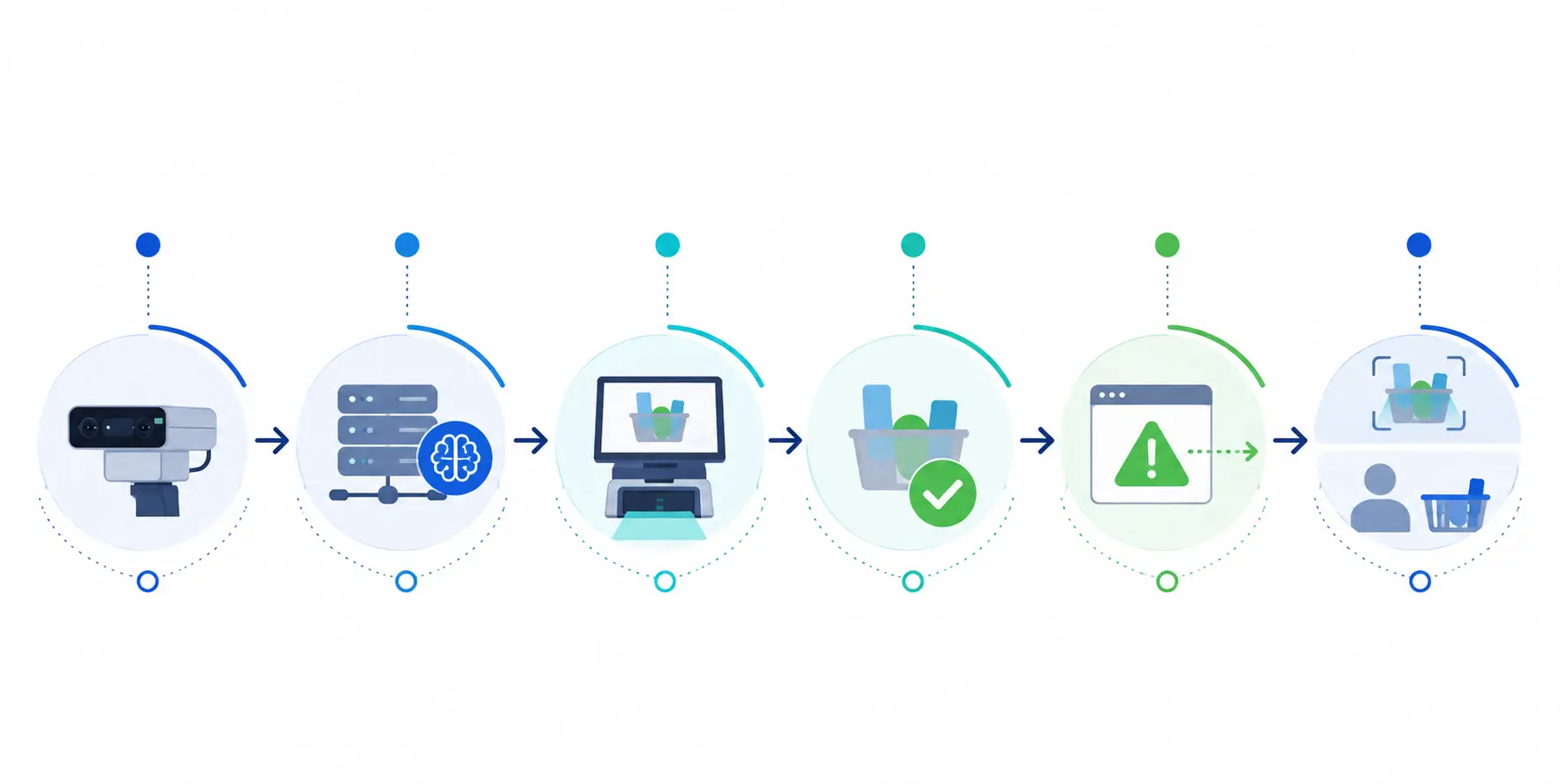
A production integration usually follows this sequence:
- Install the local iDetector service or SDK on the device.
- Connect and calibrate the USB camera around the scan area.
- Register and configure the device for the pilot or customer environment.
- Start detection when the shopper enters the basket or scanning page.
- Pass barcode, PLU, or cart-line identifiers when the scanner or POS receives product input.
- Listen for missed-scan, wrong-scan, or obstruction events.
- Decide how the POS should respond: prompt, pause, rescan, attendant alert, or record only.
- Pause detection when the shopper leaves the scanning flow or moves to payment.
- Review event data during the pilot and adjust calibration, thresholds, and prompts.
Plugin Mode vs Integrated Mode
Plugin mode is useful when a retailer or partner wants to see value quickly. The camera is connected, the loss prevention service is installed, and iDetector can begin detecting common risk events with limited checkout-system modification.
Integrated mode is better when the ISV wants a polished product experience. In this mode, the POS application coordinates with iDetector and owns the customer-facing flow.
| Question | Plugin mode | Integrated mode |
|---|---|---|
| How fast can a pilot start? | Faster | Requires development planning |
| Who controls the prompt UI? | Mostly iDetector default flow | ISV can use its own UI |
| Can POS logic react to events? | Limited | Yes |
| Best use case | Pilot, demo, low-code validation | Production rollout, OEM bundle, partner product |
| Main risk | Less workflow control | Requires clear integration ownership |
Many ISVs use plugin mode first to prove operational value, then move to integrated mode when the customer wants the AI loss prevention feature embedded into the standard self-checkout experience.
Windows and Android Deployment Options
iDetector supports Windows and Android deployment paths.
| Area | Windows | Android |
|---|---|---|
| Integration style | Local service | SDK / local service |
| Typical device | Windows POS or self-checkout terminal | Android kiosk or embedded checkout device |
| Minimum reference platform | J1900-class device, Windows 7+ | RK3288-class device, Android 7.1+ |
| ISV control points | Detection start/pause, product data input, result listening | Service binding, initialization, detection lifecycle, result callbacks |
| Best fit | Existing Windows POS fleets | Android self-service terminals and OEM devices |
Actual performance depends on device configuration, camera setup, POS workload, product library, and in-store conditions.
Event Types ISVs Should Design Around
At minimum, the POS workflow should be ready for:
- Missed scan: an item passes through the scan area without a valid matching scan.
- Wrong scan: the scanned barcode or PLU appears inconsistent with the visual product.
- Obstruction: a hand, phone, or object blocks the view in a way that should not be treated as a product scan.
- Rescan / correction: a shopper scans again after a prompt, allowing the event to be treated as corrected rather than completed loss.
- Staff confirmation: an attendant or admin confirms whether the event was correct or requires action.
Recommended UX Pattern
The best integration does not overreact to every signal. It separates confidence, customer friction, and staff workload.
| Event severity | Suggested UX | Goal |
|---|---|---|
| Low-confidence irregularity | Record only or soft prompt | Avoid unnecessary friction |
| Missed scan | Customer rescan prompt | Convert accidental loss into correction |
| Suspected wrong scan | Pause and ask for staff review or rescan | Prevent substitution and PLU mismatch |
| Repeated issue | Attendant alert with event record | Support staff intervention |
This is where ISVs can create differentiation. iDetector supplies detection signals; the ISV can design a checkout experience that fits the retailer’s service model.
POC Checklist
Before a pilot, define:
- Target store type and self-checkout lane count.
- Device platform: Windows or Android.
- Camera position and scan-area coverage.
- Detection scenarios: missed scan, wrong scan, fake scan, PLU mismatch, obstruction.
- Prompt rules: when to show customer prompt vs staff alert.
- Event review process: who reviews event images or video clips.
- Success metrics: event count, rescan rate, false alert rate, staff workload, checkout friction.
- Privacy and bandwidth policy for uploaded event materials.
What to Prepare Before Requesting the SDK
An ISV should prepare:
- Device model and operating system.
- POS workflow diagram.
- Scanner input flow and barcode / PLU handling rules.
- Cart-line or session identifier strategy.
- Expected UI handling for prompts and rescans.
- Pilot store environment and installation constraints.
Conclusion
For ISVs, iDetector is not just an AI camera feature. It is a checkout verification layer that can be embedded into existing POS and self-checkout systems.
The fastest path is to validate value with plugin mode, then productize the experience with integrated mode. When the POS controls detection lifecycle, barcode / PLU input, prompt logic, and event handling, AI loss prevention becomes part of the checkout workflow rather than a separate monitoring tool.
CTA: Request the iDetector SDK overview or book an integration workshop with Winmore Digital.
FAQ
Does iDetector require POS software changes?
Not always. Plugin mode can support fast pilots with limited POS changes. For production ISV integration, integrated mode is recommended.
Can ISVs use their own prompt UI?
Yes. In integrated deployments, the ISV can use its own checkout interface for prompts, rescans, staff alerts, and exception handling.
Does iDetector support fresh produce and PLU products?
Yes. Product materials indicate support for PLU and variable-code product scenarios, subject to project configuration and product library readiness.
Is recognition cloud-based?
Core recognition runs locally at the checkout device. Backend or mini-program functions are mainly used for reporting, device management, and review workflows.
Can performance be guaranteed?
No fixed public performance claim should be treated as universal. Results depend on installation quality, lighting, camera calibration, device resources, product library, and workflow design.