
table of contents
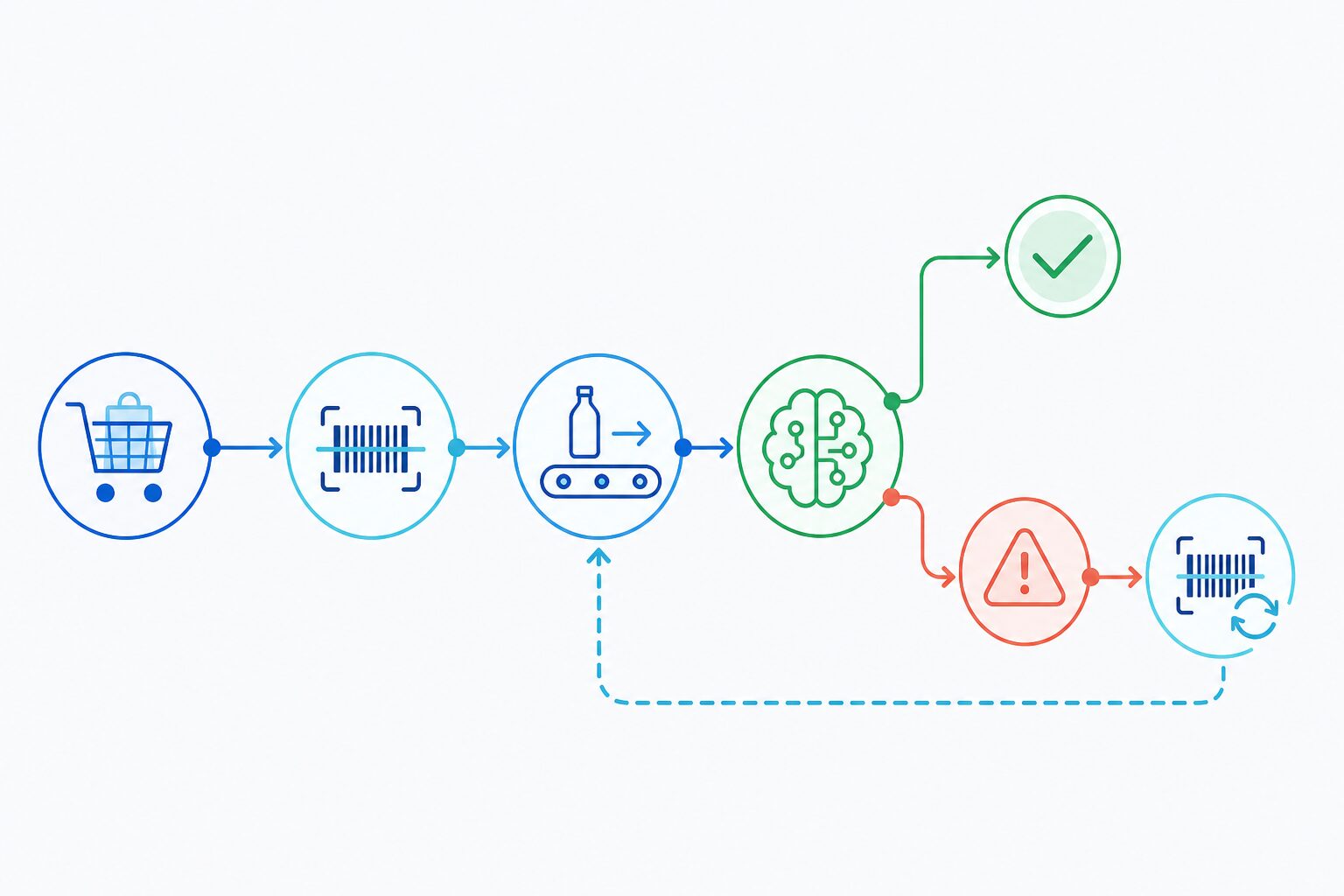 A POS system can confirm that a barcode was scanned. It cannot always confirm that the physical product movement matched the transaction.
That is the core reason AI loss prevention needs workflow integration. The best self-checkout systems do not treat AI as a separate camera alarm. They use AI signals inside the checkout lifecycle: when scanning starts, when product data arrives, when a mismatch is suspected, and when the shopper corrects the issue.
The Checkout Events That Matter
| Checkout moment | POS signal | AI loss prevention role |
|---|---|---|
| Shopper enters basket page | Checkout flow begins | Start detection |
| Item moves through scan area | Visual behavior signal | Track product movement |
| Scanner reads barcode | Product identity signal | Match barcode / PLU to visual item |
| Item is added to cart | Transaction update | Associate item with cart-line or session |
| AI detects exception | Risk event | Prompt, pause, alert, or record |
| Shopper rescans | Correction signal | Mark event as corrected |
| Payment starts | Checkout closing | Pause detection or switch to review state |
The Minimum Integration Model
At minimum, an ISV should design for four control points:
- Start detection when scanning begins.
- Pass barcode, PLU, or item context after scanner input.
- Listen for missed-scan, wrong-scan, or obstruction events.
- Pause detection when scanning ends or payment begins.
This model keeps the AI module aligned with the real checkout state.
Handling Missed Scans
A missed scan occurs when the item movement suggests that a product passed through the scan area, but the POS does not provide a valid scan event.
The recommended POS response is not always a hard block. Many missed scans are accidental. A good UX usually starts with a rescan prompt, then escalates if the event repeats or remains unresolved.
Handling Wrong Scans and Barcode Switching
A wrong scan occurs when the scanned barcode or PLU appears inconsistent with the product captured by the camera.
For this event type, the POS should consider stronger intervention because the transaction record already contains a product identity that may be wrong.
Suggested options:
- Prompt the shopper to verify or rescan the item.
- Ask staff to confirm the product.
- Temporarily prevent payment completion for high-confidence events.
- Store the event image or clip for review.
Handling PLU and Fresh Produce
Fresh produce and variable-code products need special attention. The POS should pass the PLU or product code in a way the AI module can associate with the current cart item.
This allows the system to support scenarios such as:
- Premium produce selected as a cheaper PLU.
- Similar-looking produce categories.
- One product sold under multiple variable barcode rules.
- Fresh items that require product-library maintenance.
Customer Prompt vs Staff Alert
Not every event should become a staff interruption.
| Scenario | Suggested response |
|---|---|
| Low-confidence missed scan | Soft rescan prompt |
| Clear missed scan | Customer prompt and event record |
| Suspected wrong scan | Staff alert or checkout pause |
| Obstruction only | Ignore, record, or ask user to clear scan area |
| Corrected rescan | Mark as resolved |
ISVs should tune this logic with the retailer. Grocery, convenience, and big-box stores may prefer different friction levels.
Conclusion
The value of POS loss prevention integration is not simply “getting an alert.” It is making sure the alert arrives at the right moment in the checkout workflow.
When the POS starts and pauses detection, passes product context, listens for events, and owns the customer-facing response, AI loss prevention becomes a checkout verification layer.
CTA: Get the iDetector integration brief for POS and self-checkout systems.
FAQ
What data should the POS pass to the AI module?
Typical fields include barcode, PLU, cart-line ID, or session identifier. The exact integration depends on the POS workflow and project scope.
Should every missed scan block checkout?
Not always. Many retailers prefer a soft prompt first, then staff intervention for repeated or high-confidence exceptions.
Can iDetector work with the ISV’s own UI?
Yes. Integrated mode allows the ISV to handle prompts and exception workflows inside its own checkout interface.